Everything your front desk does, on one phone.
Your staff handle check-ins, memberships, payments and the cash box at the counter. You see collections and reports from wherever you are.
Your gym, easier to manage.
Read the transcript
Every gym counter runs on the same daily work: attendance, memberships, payments. Gymmers keeps it all in one place.
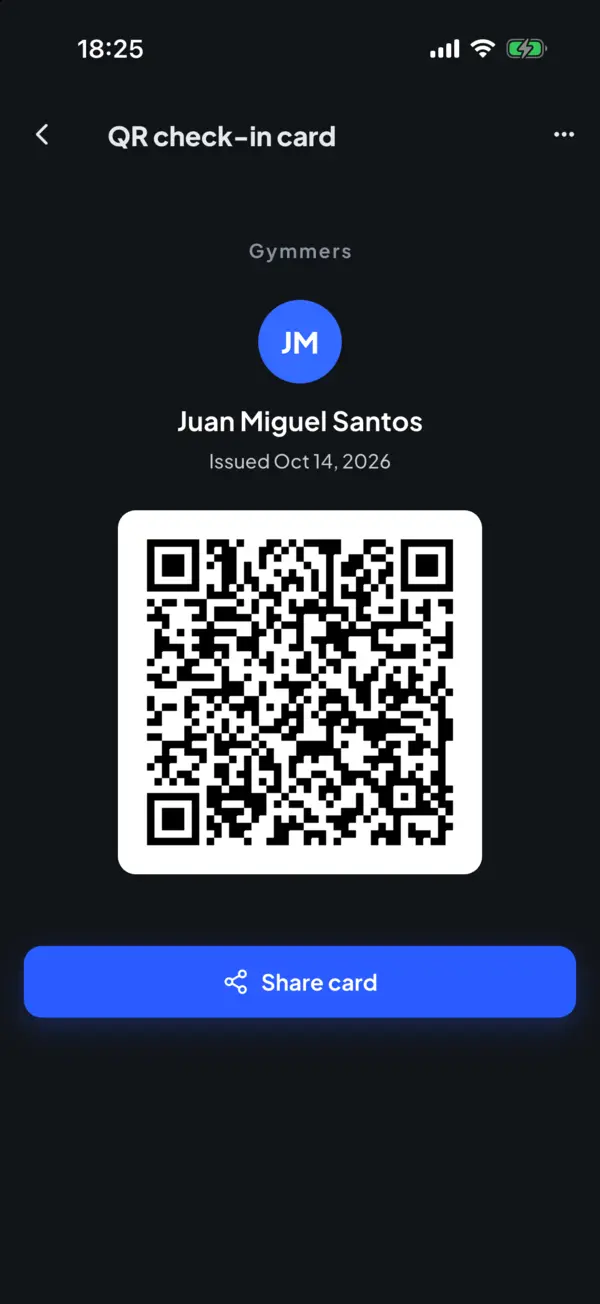
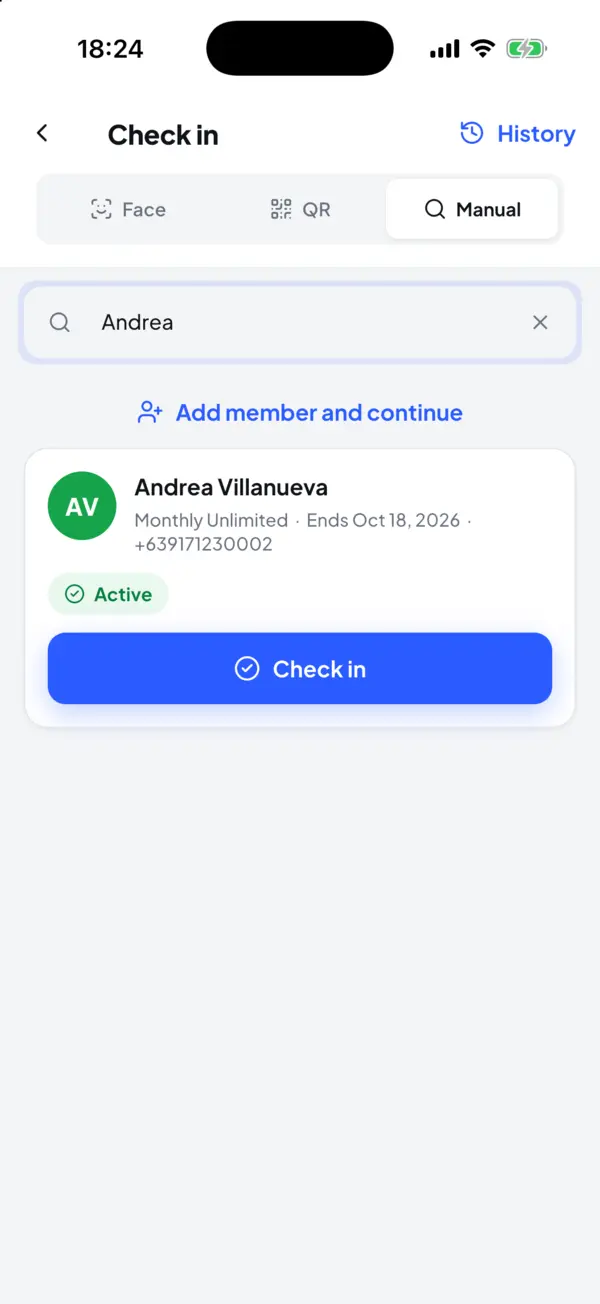
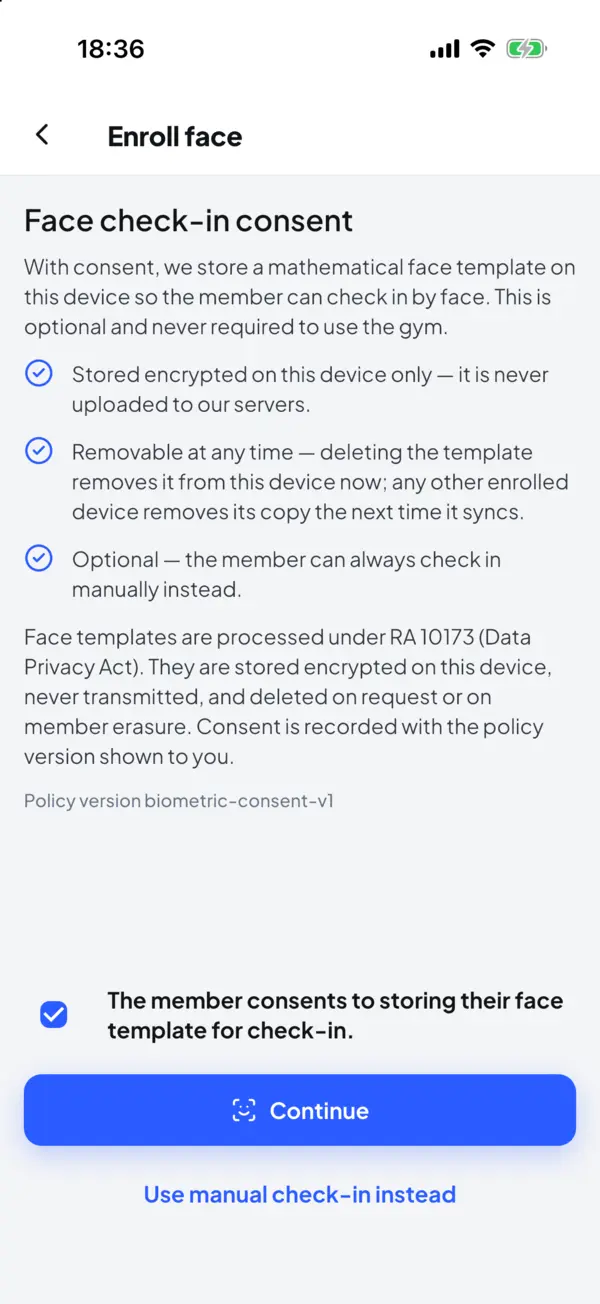
Members enrolled on this phone can check in by face. It’s optional, and encrypted on the device. Staff confirm, and the visit is recorded. Others can show their QR card. One scan, one tap to confirm, and they’re in. Or just search by name, even when you’re offline. Check them in, and their remaining sessions update right away.
Member not in Gymmers yet? Add them while they’re at the counter. Bring over their existing membership and prior payments, then check them in.
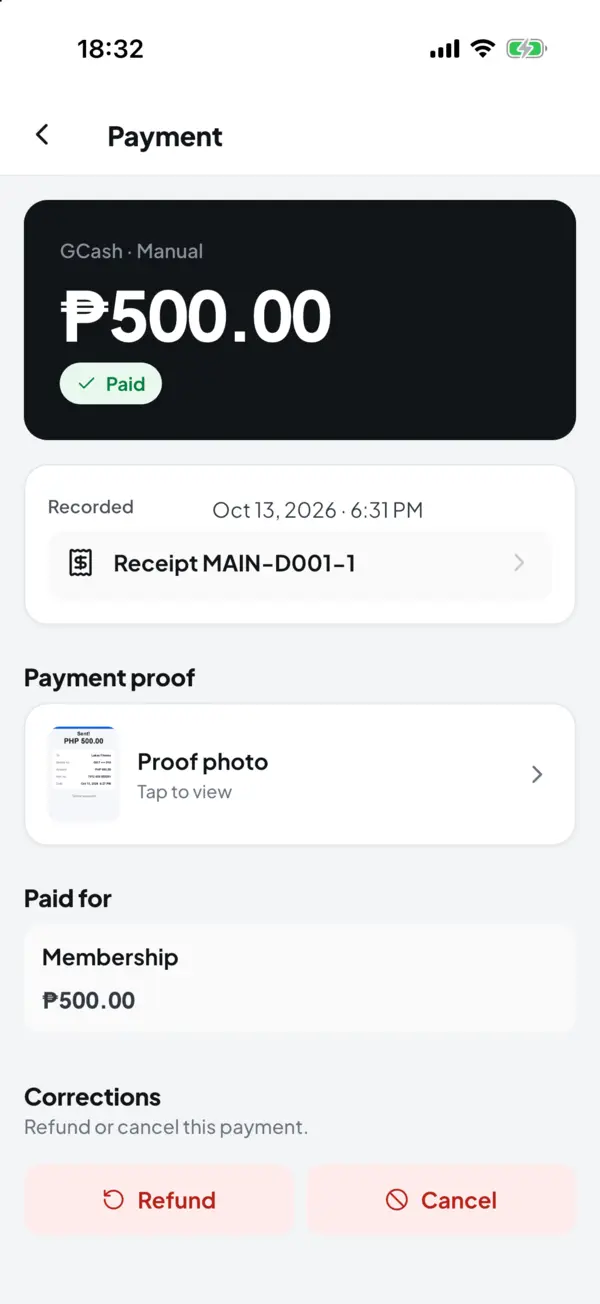
Renewals take a few taps. Eligible discounts are already on file, so the right total is ready, and the payment is recorded with a receipt. Outstanding balances are easy to spot on the member’s profile. Paid by GCash? Attach the transfer screenshot as proof. It stays with the payment, so owners and managers can check it later. Walk-ins? Charge the drop-in fee, and you’re done.
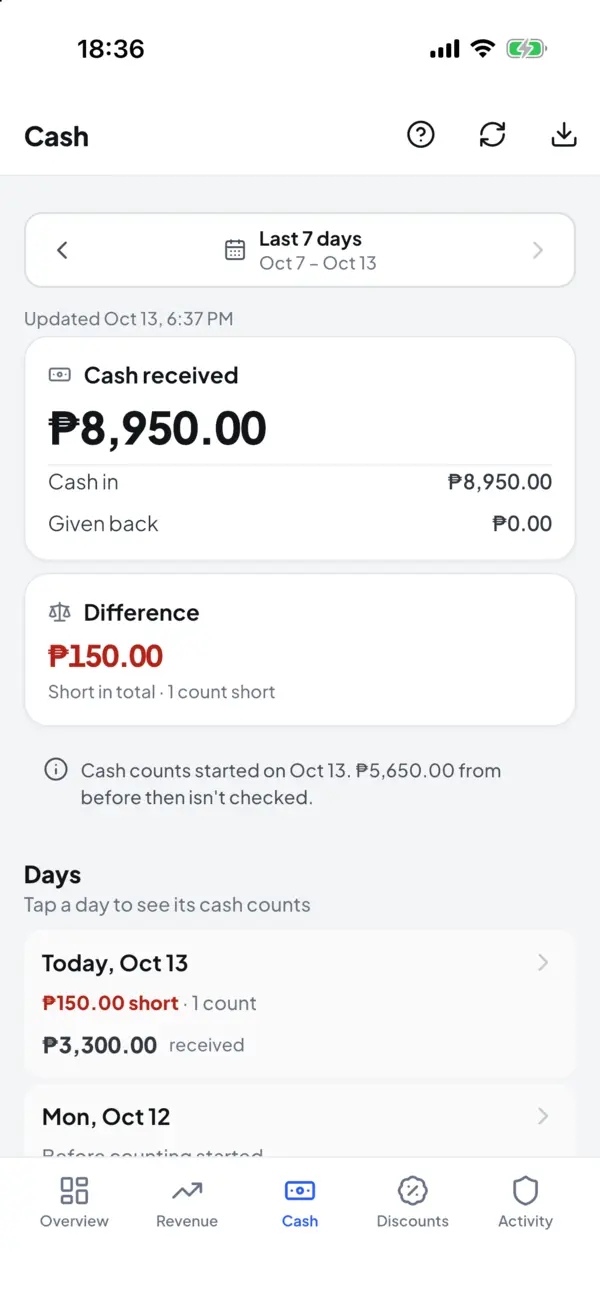
At the end of the shift, staff count the cash box. Gymmers compares it with this device’s estimate, and saves the count. Today’s collections, cash and digital, in one view. And owners can review collections from anywhere, day by day.
Plus bulk member import, staff roles, branches, reports, and more. With more on the way. Gymmers. Your gym, easier to manage. Get started at gymmers.app.
Check-ins that keep the line moving
- Face, if the member agrees. Face data is encrypted, and only the check-in phones you approve can read it. Staff confirm the match, then Gymmers records the visit.
- QR card. Staff scan the member’s card and tap to confirm.
- Search by name, even when you’re offline.
- Session packs count down as soon as a member checks in.
- New members at the counter. Add them on the spot, and bring over their existing membership and past payments.
- Walk-ins and day passes. Charge the drop-in fee in one step.
- Works without internet. Gymmers sends check-ins, sales and payments when the connection is back.
Record every payment and see who still owes
- Cash, GCash, Maya and QR Ph. Record how each member paid. Attach a transfer screenshot as proof.
- Renewals in a few taps. The member’s discounts, including the 20% senior and PWD discount, are on file, so the total comes out right.
- A receipt for every payment.
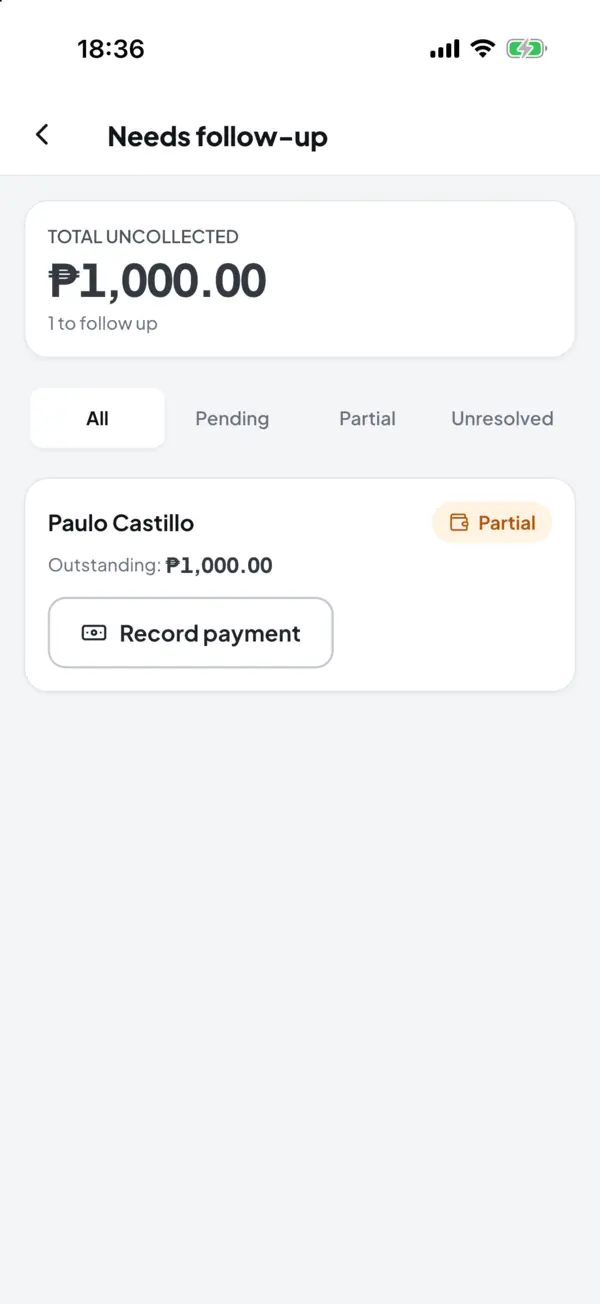
- Partial payments and balances. Unpaid balances show on the member’s profile and on a follow-up list.
- End-of-shift cash count. Staff count the cash, and Gymmers checks it against the cash recorded since the last count.
Members pay you directly. Gymmers keeps the record and never handles your members’ money.
See today’s collections without calling the counter
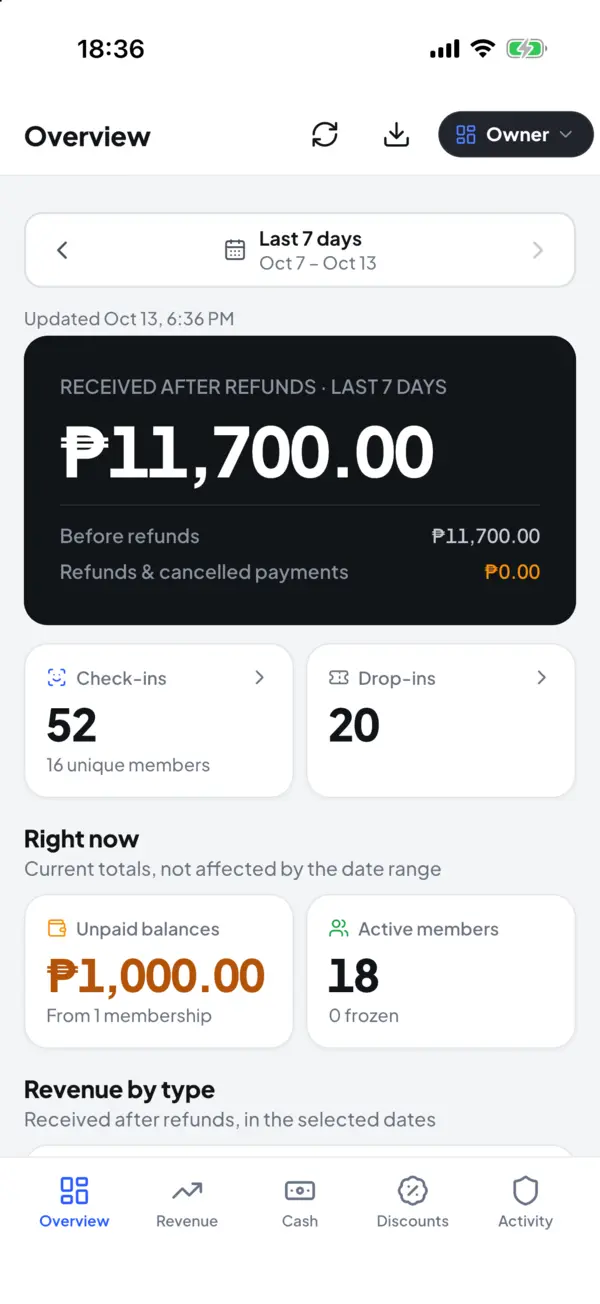
- Today’s collections, cash and digital, in one view, and day by day from anywhere.
- Reports: revenue, cash, unpaid balances, refunds and cancelled payments, a visit log, and an activity log of who did what.
- CSV export for your own records.
PROMore reports on Pro
- Attendance trends
- Members not seen lately
- Discount analysis
- Branch comparison
Everyone gets their own login
Add as many staff accounts as you need on any plan. The activity log shows who did what.
Sees every report and manages the Gymmers plan on this website.
Runs the gym day to day. Can give refunds, cancel payments, forgive balances, and change plans and discounts.
Runs the counter. Can’t give refunds, cancel payments or forgive balances.
Branches
Gymmers is free for now, so every gym can run up to 50 branches and compare them.
Bulk member import
Bring your whole member list in at once instead of typing each one.
Privacy tools for the Data Privacy Act
- Face data only your phones can read. It’s encrypted, and only the check-in phones you approve can open it, not even Gymmers. Staff enroll only members who agree, and anyone can check in by QR card or name instead.
- Consent records for each member.
- Member data erasure when a member asks, under RA 10173.
- Staff permissions. You choose who can give refunds, cancel payments or forgive balances.
Every Pro feature, free for now
Create your gym in the app. No payment details needed.